PreRegExamPrep · Product walkthrough
The PreRegExamPrep free demo, screen by screen
What you see when you answer a question in the free 15-question demo, with real screenshots taken on 1 October 2026.
Updated 1 October 2026
Scope. This page covers the free demo only, as we saw it. It makes no claims about the full question bank, mock exams or analytics, which we did not include. PreRegExamPrep publishes this page, so treat it as a description from the seller.
1. The question screen
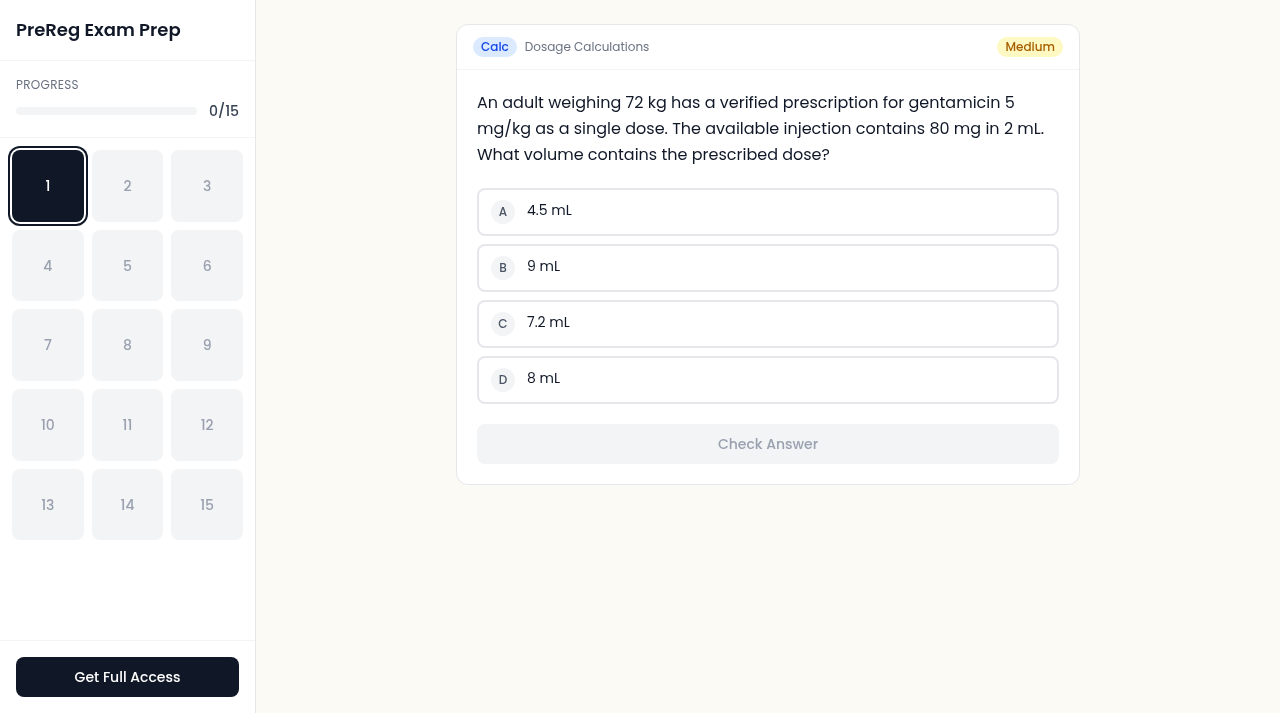

- A progress bar shows how many of the 15 demo questions you have answered.
- A grid of numbered buttons, 1 to 15, sits in the left panel.
- Each question carries a tag for its type (here Calc), its topic (Dosage Calculations) and a difficulty label (Medium).
- Four options, A to D. The Check Answer button stays greyed out until you pick one.
2. After you check an answer
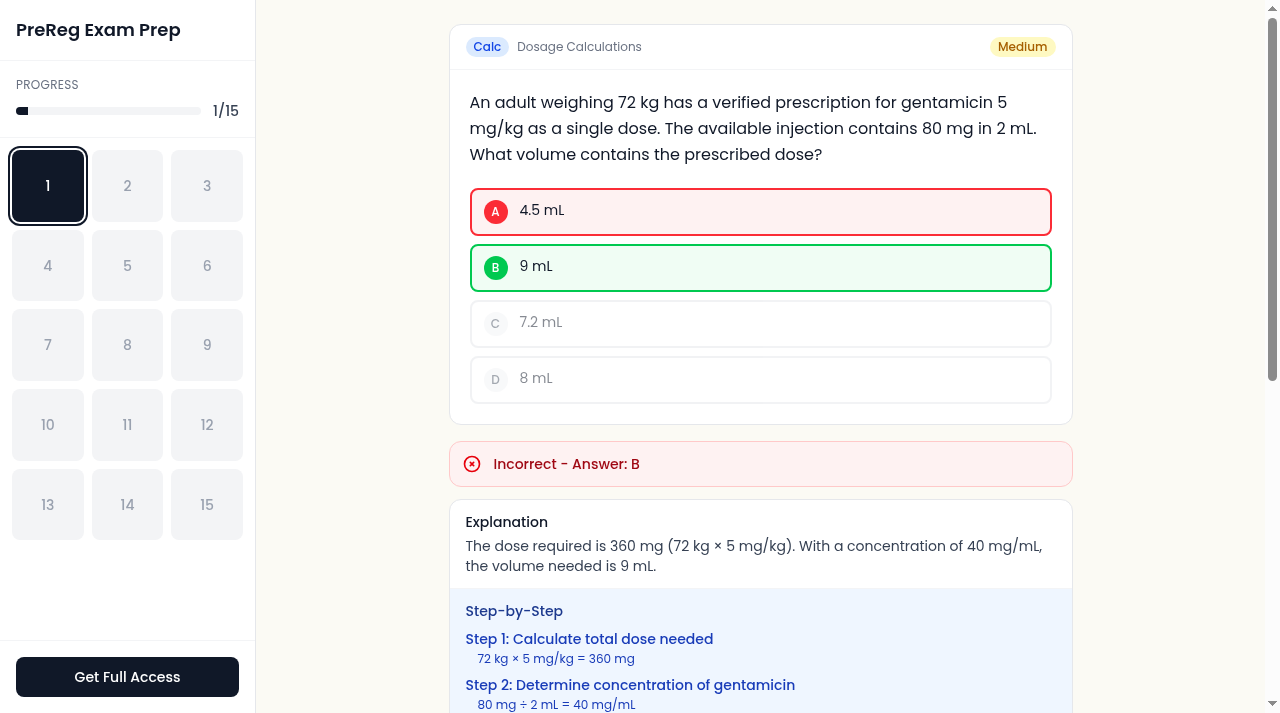

- Your choice and the correct option are coloured, red for a wrong pick and green for the right one.
- A banner states whether you were right and gives the correct letter.
- The progress bar moves to 1 of 15.
- The explanation opens straight below the question.
3. The written explanation
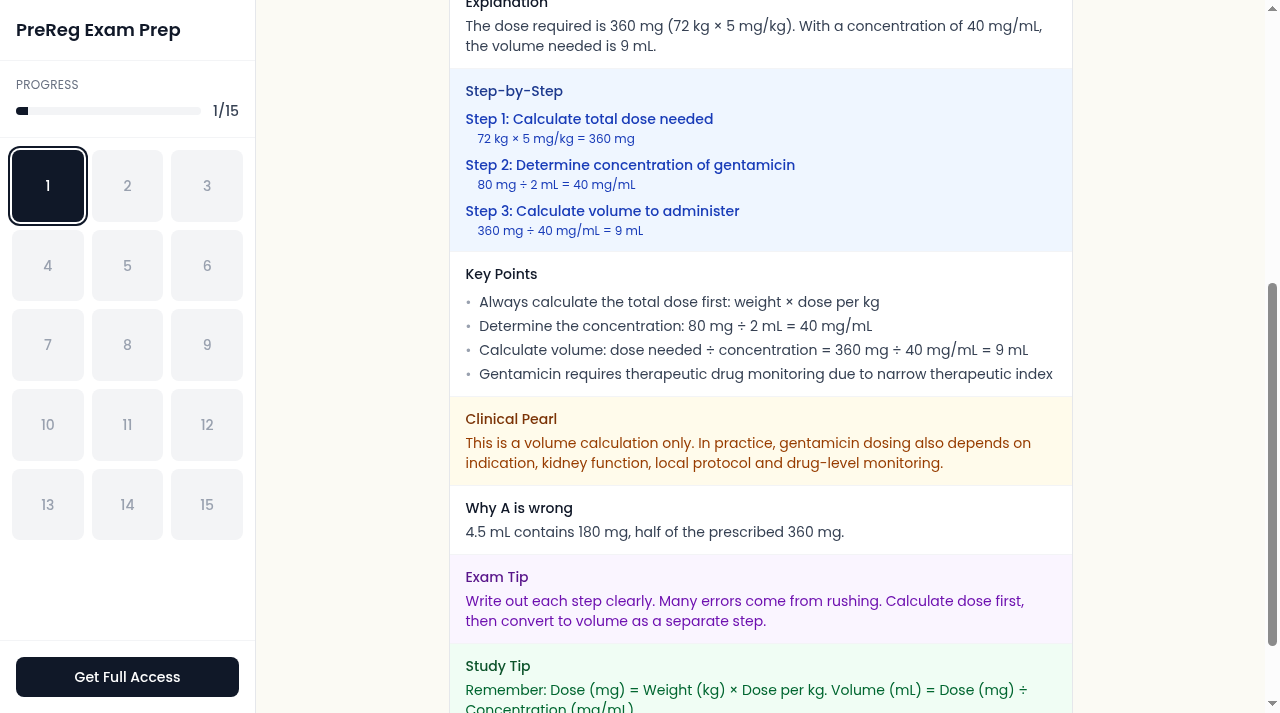

- A step-by-step working for the calculation questions.
- Key points, a clinical pearl, and a note on why the option you picked is wrong.
- An exam tip and a study tip.
- In this example the clinical pearl says it is a volume calculation only and that real dosing also depends on indication, kidney function, local protocol and drug-level monitoring.
On a phone the screens are laid out differently: we saw a 1/15 selector at the top instead of the numbered grid (we did not open it), and a running score with a Get Full Access button fixed at the bottom. The phone screenshots above are real captures at 390 pixels wide.
Try it yourself
The demo is at /try-free. If you want to compare providers first, read our question bank comparison, and for the official practice material see the GPhC example questions.
Frequently asked questions
Is the demo really free?
The page offers 15 free questions with no payment screen in the flow we tested. We did not test whether other steps, such as an account prompt, appear later.
What does the full version cost?
Our pricing page advertises one-time payments: £25 for 2 months, £40 for 6 months and £70 for lifetime access. See the pricing page for the current terms.
What did you not test for this page?
Only the free demo. We did not test the full question bank, the mock exams, flashcards or progress analytics, which sit behind sign-in, so this page makes no claims about them.
Are the demo questions real GPhC questions?
No. They are written for revision. The GPhC publishes its own example questions, and its Board of Assessors does not endorse external revision materials.